When creating/updating a record in Dataverse (Dynamics CRM) we often need to set lookups.
To set a lookup, we need to pass in the GUID of the record and tell Power Automate which table to find the record in.
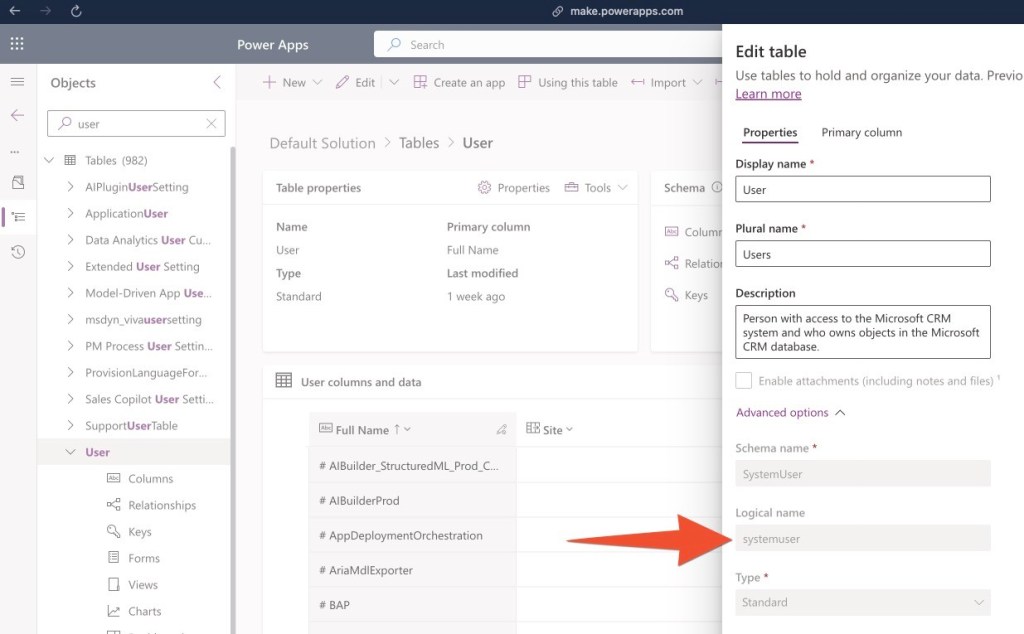
For this we use the table’s logical name and append an ‘s’ (NB – this is sometimes referred to as the ‘entitysetname’)
Table Logical Name + sAnother typical Microsoft 'feature' - why not use the schema name or the logical name.... No, instead, let's make up a random rule.
In the example below I am assigning an in-app notification to a CRM user – the concept applies to all entities.
The ‘Users’ table’s logical name is ‘systemuser’, we append and ‘s’ and make it ‘systemusers’, then, in brackets we pass in the GUID of the relevant user, here the ‘Caseworker’ (choose the option with the (Value), this contains the GUID).

 The Dynamic Identity