Full technical documentation: Microsoft Learn
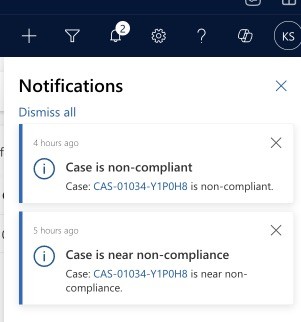
Final outcome: In-app notifications (as an alternative to tasks/emails):
1- Enable ‘In-app notifications’ for your MDA (Model-driven App).

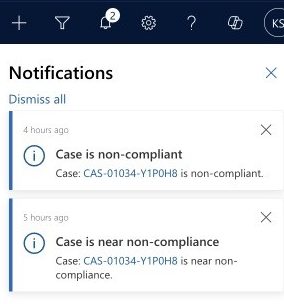
Example scenario: We want to notify a CRM user that a case assigned to them is nearing non-compliance or has reached that state. We want to include a link to the relevant case so that the user can actually use the notification.
Steps (see screenshot below)
1- Enhanced SLA’s will create a flow for us with the correct trigger (as the ‘Action’.

2- We retrieve the case
3- Create the notification (Action: Add a new row)
4- Body: this is where we want the link to the record to show
NB – you do not need to worry about the environment-specific URL – see this entry here for how to construct that in other scenarios.
Markdown format allows you to easily link to records in CRM – here are the 3 items to consider:
[LINK DESCRIPRIO](?pagetype=entityrecord&etn=incident&id=GUID)BLUE – this will be the text that appears as a link, in the screenshot below I have used the Case Number
RED – make sure this matches the entity which you are linking to
YELLOW – GUID of the record you want to open
In the screenshot below you can see the new designer: steps can be copy-pasted! (finally an improvement from Microsoft)

And again – the final result:
 The Dynamic Identity